




Volume Discounting
Volume discounting on Shopify, without the headache.
Buy more, save more. A straightforward offer for customers, but behind the scenes it can take a surprising amount of work to manage. Especially when different products need different prices at different quantities.
If you're introducing volume discounting on Shopify, the offer on the product page is only part of the picture. You also need to think about how pricing varies across your catalogue and how your team will keep it up to date. Here's what to consider when choosing and setting up an approach.
How can you manage volume discounts across Shopify variants?
There are plenty of Shopify apps available for managing volume discounts, but finding the right solution depends on how your products are structured and the complexity of your pricing requirements.
For merchants managing large product catalogues, particularly where individual SKUs require different quantity breaks and fixed unit prices, it's important to choose an app that makes pricing rules easy to configure, maintain and update at scale.
One effective approach is to use an app that supports variant-level pricing through Shopify metafields. This allows quantity thresholds and fixed unit prices to be managed alongside product data, with the flexibility to update pricing in bulk using CSV imports rather than maintaining individual discount rules manually.
The challenge of managing different quantity breaks for each SKU
A single offer across the whole store can work for a simple promotion. But what happens when different products have different margins, pack sizes or buying patterns? You may need one set of quantity breaks for one SKU and a completely different structure for another.
That creates two jobs: getting the pricing right for each item, and making sure your team can maintain it without turning every update into a lengthy task. Before choosing a volume discount app, work through these five questions:
- Different rules for different variants. Can each SKU have its own quantity thresholds and prices, or will every variant of a product inherit the same deal?
- Fixed unit prices at each tier. Do you need to specify what a customer pays per item at a given quantity, or will a percentage discount achieve the offer you want?
- Bulk updates alongside product data. Can your team update volume pricing alongside the catalogue, without preparing a separate discount import or editing each offer individually?
- A manageable discount setup. Shopify allows a maximum of 25 active automatic discounts, including app-based discounts. Creating one for every SKU can quickly use up that allowance and leave little room for other promotions. Can your chosen app handle different pricing rules without creating a separate automatic discount for each SKU?
- A clear offer for customers. Will customers understand the relevant quantity breaks on the product page, and see the correct pricing in the cart and checkout?
The right combination will depend on your catalogue, pricing model and how your team works. Getting clear on those requirements gives you something useful to assess apps against, beyond whether they can display a discount table.
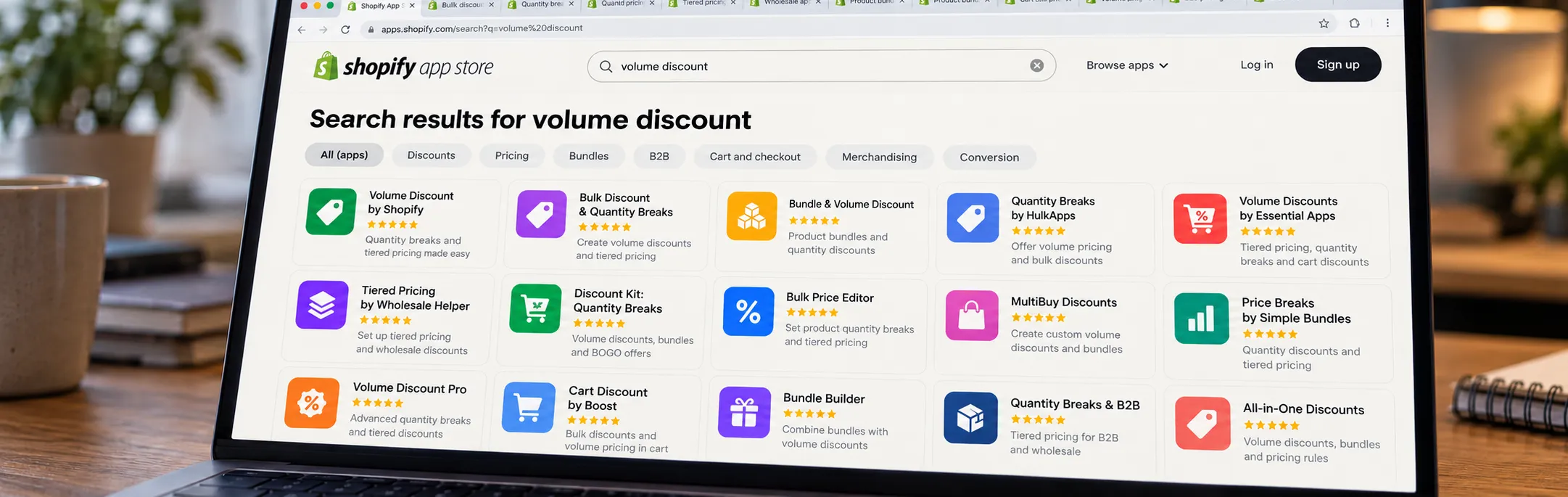
Choosing a volume discount solution that fits your catalogue
Start with a few real SKUs and check how an app handles their pricing. Can it support your quantity breaks, and how much work will your team need to do when prices change? That's the practical detail we explore in our eCommerce strategy work.
When you need different quantity breaks for individual SKUs, the challenge is keeping that flexibility manageable. One Stop Volume Discounts by SalesSurge Labs brings those requirements together, with pricing rules stored in variant metafields and updated alongside your product data.
- Quantity thresholds and fixed unit prices stored against each variant.
- Different rules for different SKUs, including variants of the same product.
- Pricing managed alongside product data, ready for bulk updates.
Here's how that translates into a simpler product management workflow.
Volume discounts managed through a CSV import
Managing volume pricing should be part of your standard workflow for updating your products, not a separate step on the list.
You can populate the metafields through your standard product data import workflow. That could be a standard Shopify CSV, Matrixify or third-party PIM such as Stok.ly. The volume discount data lives in the metafield alongside your other product information.
Here's how it works:
- Define the price breaks for each variant. Identify the SKU, the minimum quantity for each tier and the fixed unit price that should apply.
- Configure the variant metafield and app. Set up the variant-level metafield for the data, then configure metafield driven tiers in One Stop Volume Discounts to use the data from the metafield for the discounts.
- Add the tiers to the product CSV. Include the quantity thresholds and prices in the new variant metafield column alongside the existing product data.
- Test a small selection first. Import a few variants with different pricing structures to familiarise yourself with the process and output and review across product, cart & checkout.
- Roll out the remaining pricing data. Once the sample behaves as intended, import the wider catalogue and spot-check the results.
Once up and running, your team can update products and volume pricing in the same import. The discount rules stay with the product data, making routine catalogue updates simpler to manage.
Flexible rules without a discount for every SKU
When comparing apps, check how the pricing rules are applied as well as how they are displayed. In the metafield-driven setup described here, the app reads the variant-specific tier data within its discount setup, without needing a separate Shopify automatic discount for every SKU and every quantity break.
That gives you the flexibility of different rules per SKU without turning the Shopify discounts list into the place where all of those individual pricing decisions have to be maintained.
For a growing catalogue, that's a practical consideration. Adding more products shouldn't leave your team with an equally long list of repetitive pricing tasks.
Check the details with the people behind the app
A feature list is a useful starting point, but it won't tell you everything about how an app fits your store. If you need a particular combination of variant targeting, fixed unit prices and imported tier data, work through that exact scenario with the developer.
For example, we worked directly with the SalesSurge team to share example pricing structures and work through the configuration. Those discussions helped shape support for the variant-level, fixed-price approach the project needed.
At Inspira, we look at how a solution will work across your business, from the pricing customers see to the way your team maintains it. That means assessing the options, working through the details with developers and partners, and shaping a setup that fits your operation.
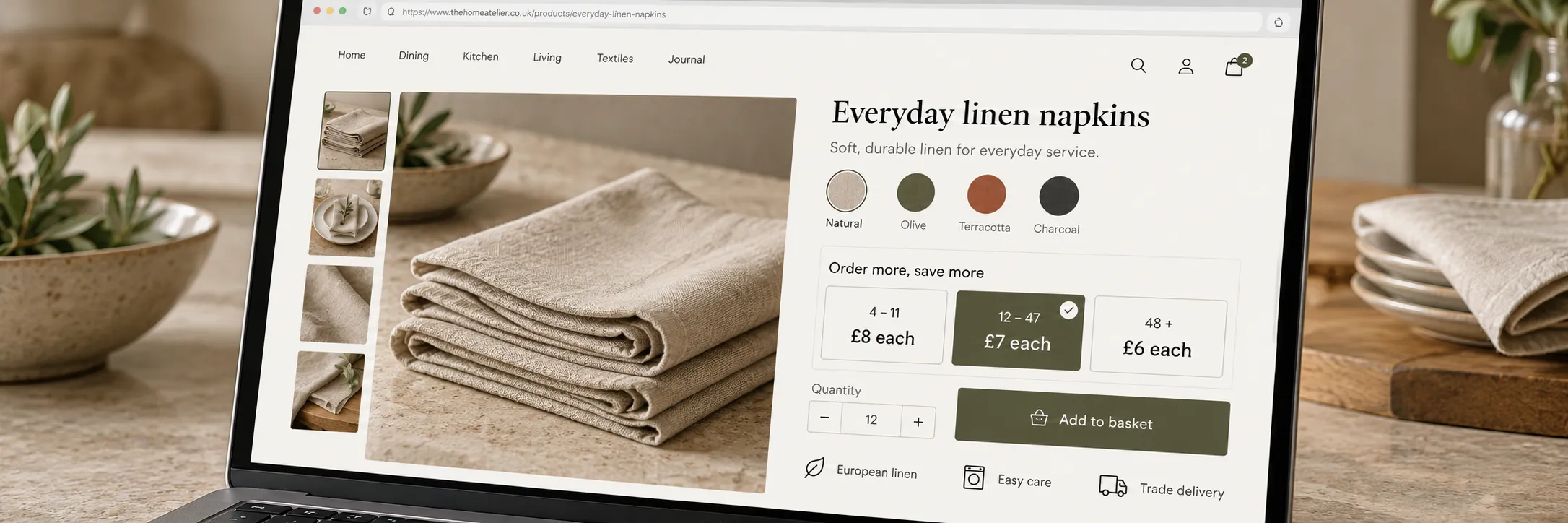
Making the offer clear for customers, too
At Inspira, we bring the ecommerce strategy, design and development skills to tailor the experience around your specific brand and buying journey.
One Stop Volume Discounts already provides configurable ways to show the price per item at each tier, giving you a great starting point. How you present that offer within your store is an opportunity to make it work harder for your customers.
At Inspira, we bring the strategy, design and development skills to tailor the experience around your brand and buying journey. We can also A/B test different approaches, comparing layouts, messaging or how savings are displayed, then use the results to understand what works for your customer base. The aim is to help more customers buy confidently while keeping an eye on order value and margin.
Our conversion and UX optimisation service brings those pieces together, from shaping the offer and implementing the experience to testing and refining it. So you get a considered part of your storefront, backed by a plan to keep improving it.
Got a pricing challenge of your own?
Sometimes the challenge isn't whether Shopify can offer a discount. It's whether you can deliver the pricing your customers need without making life difficult for the team managing the store.
Start with your pricing requirements, how your catalogue is maintained and what customers need to understand. From there, you can assess whether a metafield-driven approach fits your store, or whether another setup would serve you better.
If you're wrestling with quantity breaks, variant pricing or a catalogue that's becoming hard to manage, tell us what you're trying to achieve. We'd love to help you work out a simpler way forward.


Frequently asked questions
Will volume discounts combine with my other promotions?
That depends on the app, discount types and combination settings. Don’t assume a quantity discount will combine with every discount code or automatic promotion.
Test representative baskets before launch, including different variants, quantities and any promotions you intend to run together. Confirm both the customer-facing message and the final price.
Do I need a separate automatic discount for every SKU?
Not with the metafield-driven setup described in this article. The app reads the pricing rules stored against individual variants without requiring a separate Shopify automatic discount for each SKU.
This matters because Shopify allows a maximum of 25 active automatic discounts, including app-based discounts. Check how an app uses that allowance before rolling it out across a large catalogue.
Can I update volume discounts alongside my product data?
Yes. With a compatible import tool or integration, you can update products and their volume pricing through the same workflow. The quantity thresholds and prices are stored in variant metafields alongside your catalogue data, so there’s no separate discount file to import into the app.
Tools such as Matrixify, or product data integrations that support the required variant metafield format, can handle these updates in bulk.
Can I set a fixed unit price at each quantity break?
Yes. With the appropriate app configuration, you can specify the unit price customers pay when they reach each quantity threshold, rather than applying a percentage discount.
For example, an item could cost £20 each for smaller orders and £18 each when a customer buys ten or more. Check how the effective price and saving appear on the product page, in the cart and at checkout.
Can I set different volume discounts for each Shopify variant?
Yes, with an app that supports variant-level pricing rules. This lets different sizes, finishes or pack options have their own quantity breaks and prices, rather than sharing one offer across the whole product.
One Stop Volume Discounts supports reading those rules from variant metafields, so each SKU can have its own pricing structure.

